
Members & groups
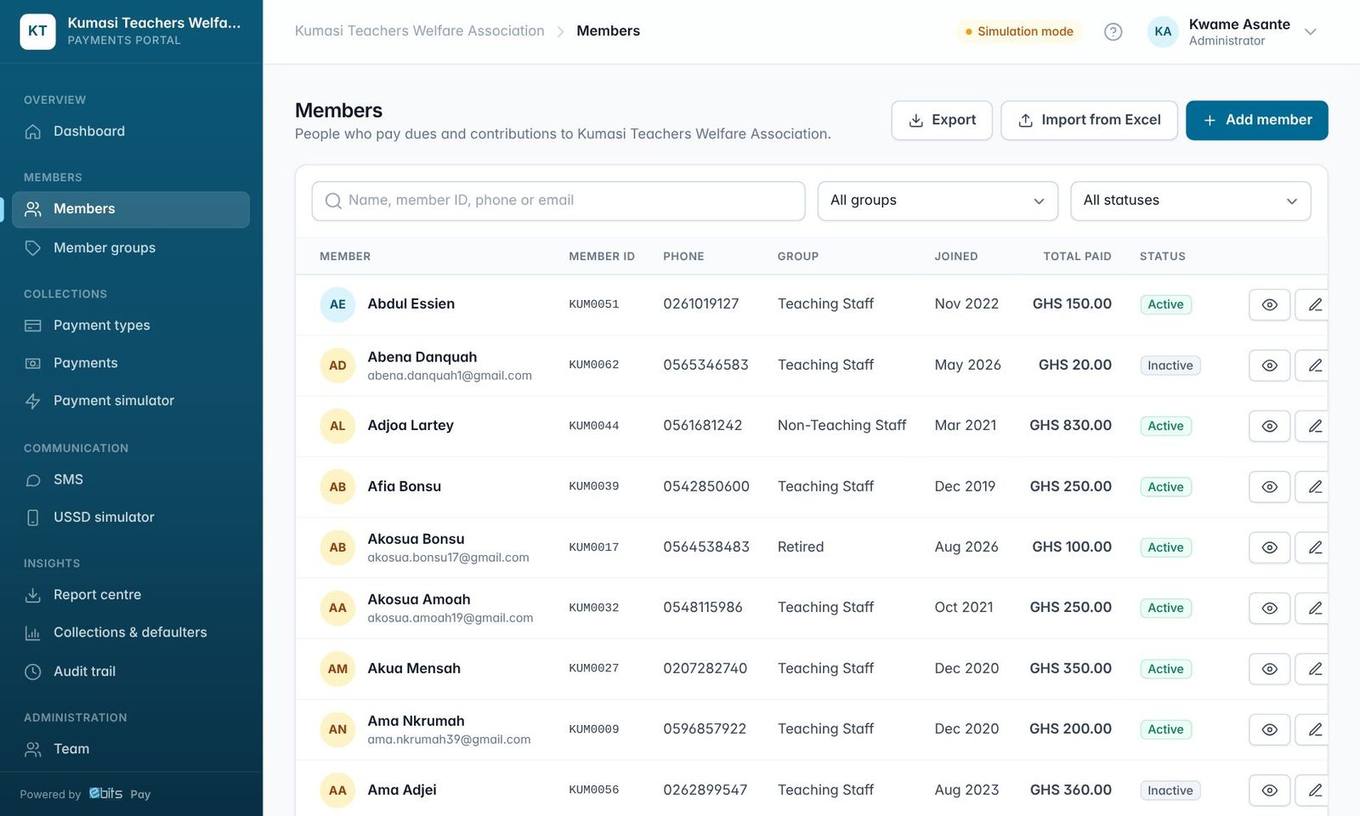
Members are the people who pay. Each member is identified by their own Member ID (e.g. a staff ID or membership number) and pays by USSD with the phone number you register.
2 min read Updated 19 Oct 2026
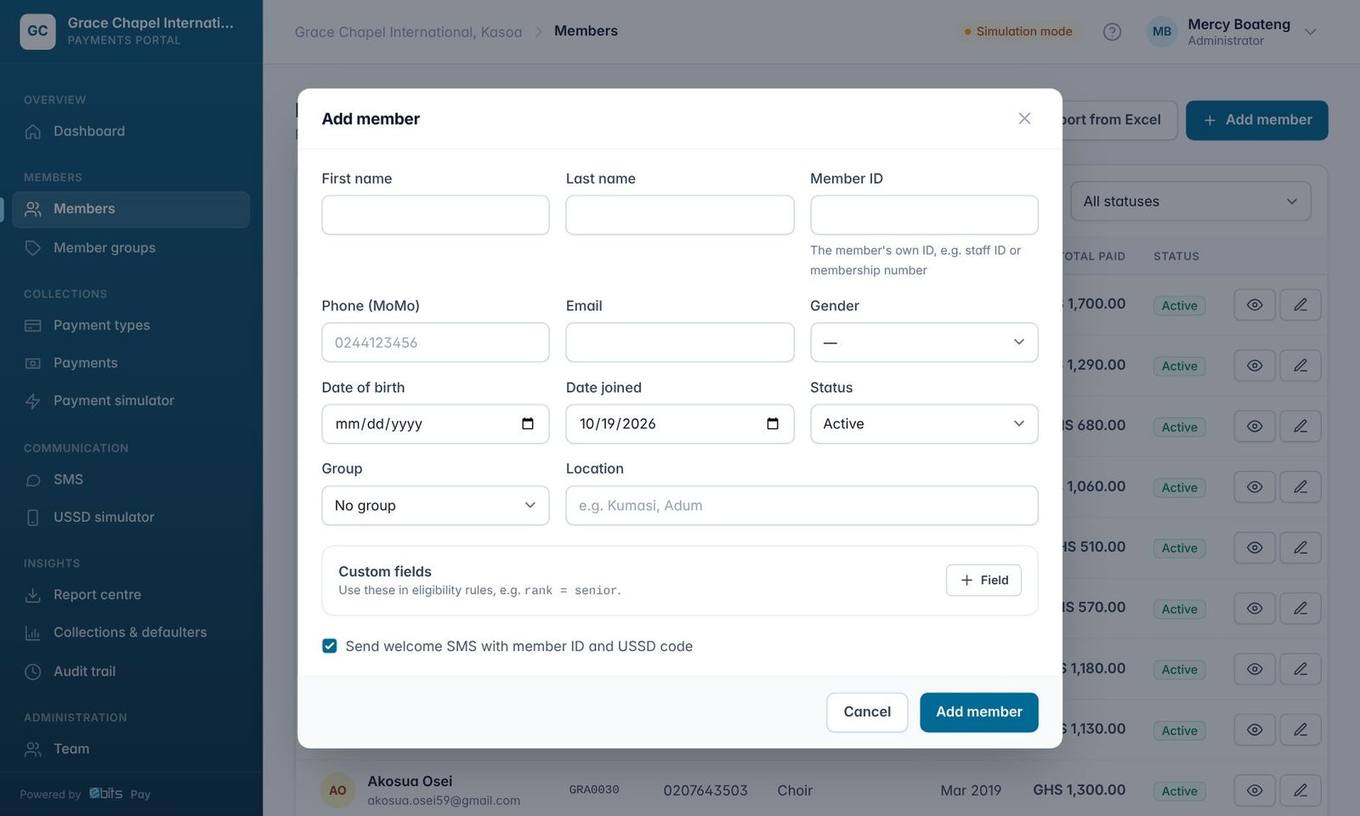
Add a member
- Go to Members → Add member.
- Enter first and last name, a Ghana phone number and the member's own Member ID (staff ID or membership number). These are required. Member IDs are never invented by the system and must be unique in your organisation.
- Everything else (gender, date of birth, group, location, join date, extra fields) is optional but makes eligibility rules and reports richer.
- Tick Send welcome SMS to text the member their ID and the USSD code.
The member profile
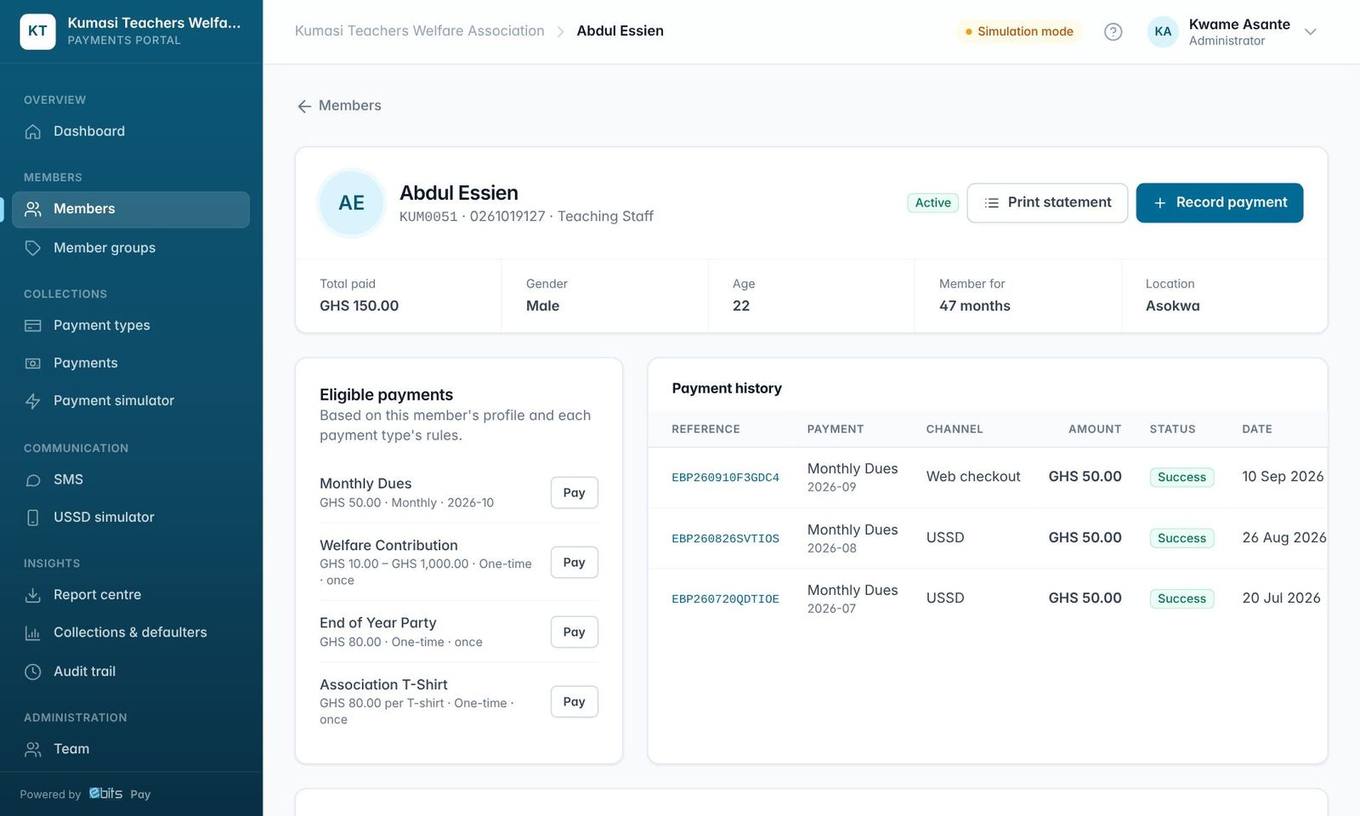
From a profile you can record a payment, send an SMS, see which payment types the member qualifies for, and Print statement: a branded statement of all their payments and any dues still outstanding.
Member groups
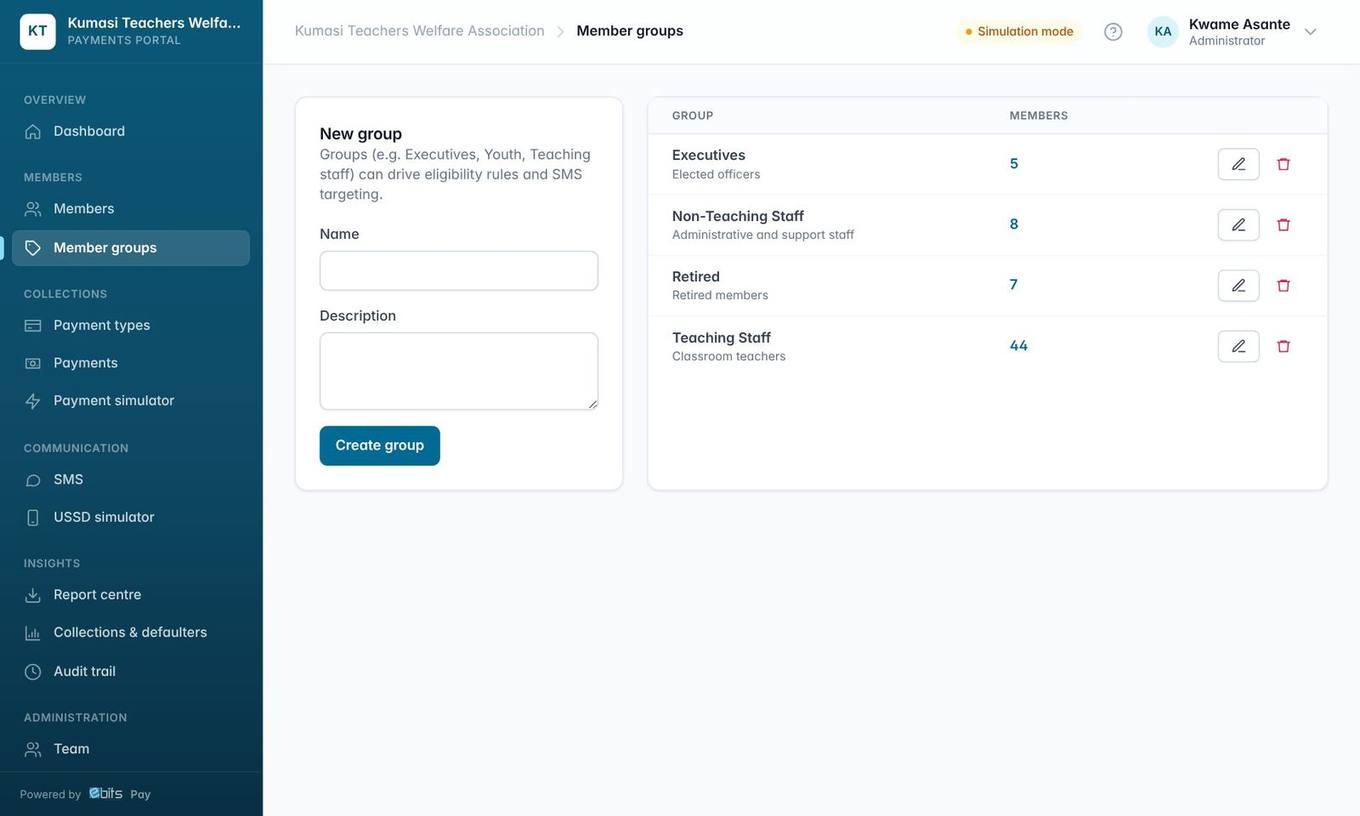
Groups organise members (branches, cell groups, departments, categories). They are used to:
- decide who must pay a due (eligibility rules),
- send SMS to one group,
- analyse payments by group in reports.
Tip Date of birth unlocks the age group analysis in reports (Under 18, 18–24 … 65 and over).