
Using the Help centre
Find answers fast: search the live user guide from any screen, and (for EBITS staff) keep it up to date.
2 min read Updated 19 Oct 2026
The Help centre is the live user guide. It is always up to date, so it may describe new features before the printed PDF does.
Finding an answer
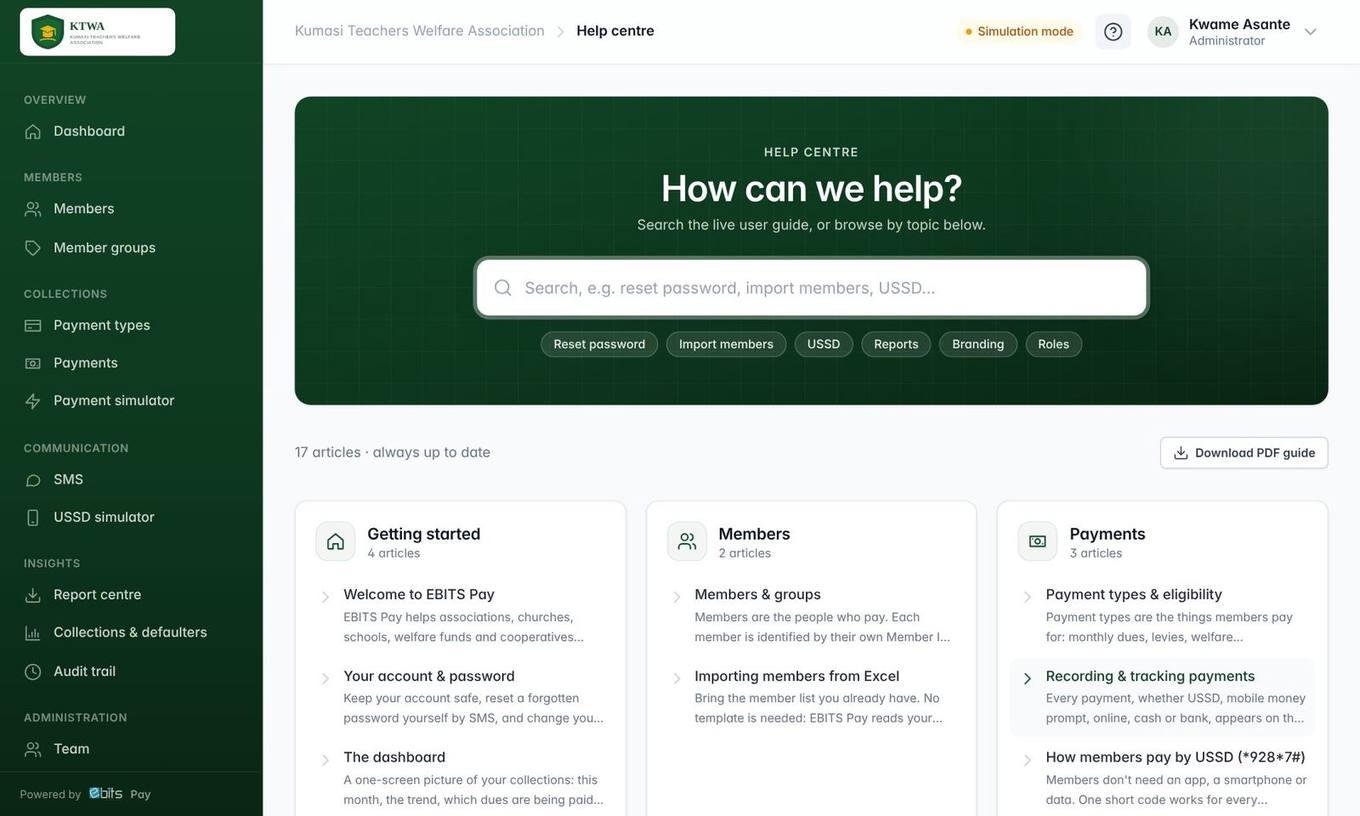
- Click the ? button at the top of any screen, or choose Help centre in your user menu.
- Type what you are looking for, for example reset password, import or USSD. Results appear as you type, with the matching words highlighted.
- Or browse by topic: Getting started, Members, Payments, Messages & reports and more.
Tip Each article has a table of contents on the right, and you can print it or save it as a PDF from your browser.
The full illustrated guide is still available as a PDF: use Download PDF guide on the Help centre home page.
Keeping the guide up to date (EBITS staff)
People whose role includes Write and edit Help centre articles see New article and Edit buttons.
- Write in plain text using simple formatting:
## Heading,**bold**,- list item,1. step. - Use the toolbar to add a Tip, Important or Good to know box, or to upload a screenshot. Add a caption on the line under an image in italics.
- Choose who can read the article: Everyone, Client organisations or EBITS staff only.
- Press Preview to check it, then Save. Untick Published to keep a draft hidden from readers.
Every change is recorded in the audit trail.