
Team, roles & permissions
Give each person exactly the access they need. Two people can both be "admins" yet do different things.
1 min read Updated 19 Oct 2026
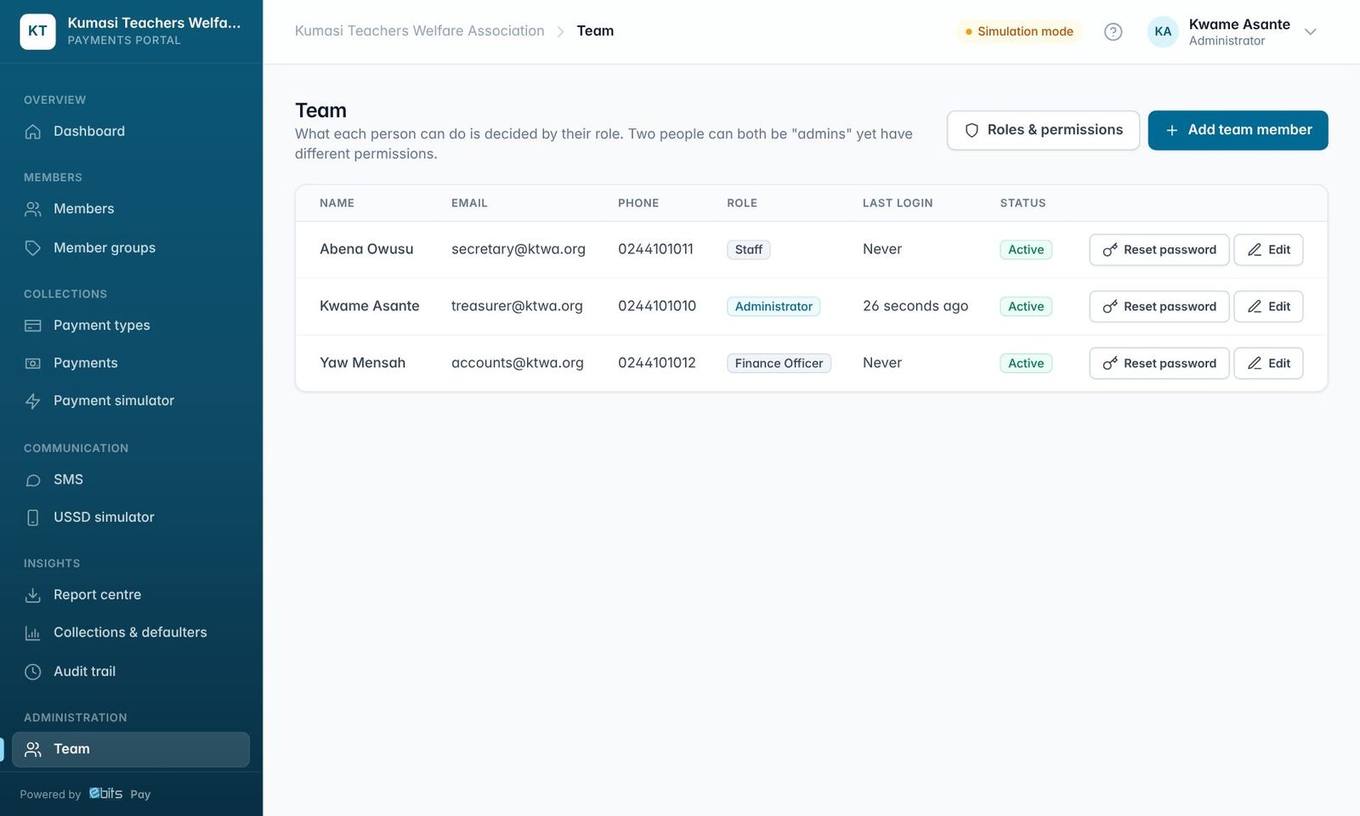
Add a team member
- Go to Team → Add team member.
- Enter name, email, phone (required), choose a role and set a first password.
- Leave Ask them to choose their own password ticked: they must change it the first time they sign in.
Reset password texts the person a temporary password. Their old password stops working and they are signed out everywhere.
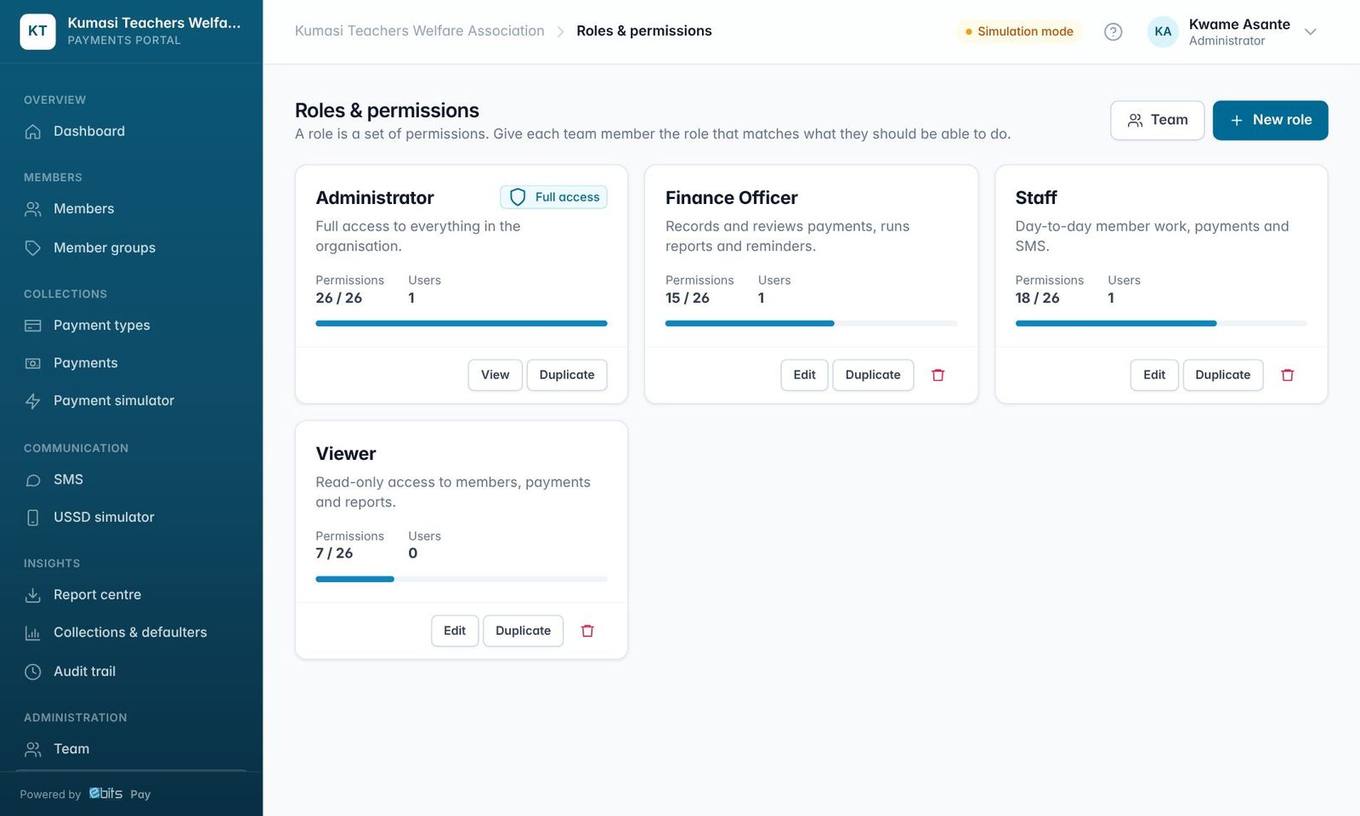
| Built-in role | Can do |
|---|---|
| Administrator | Everything, including team, roles, settings and the Hubtel account. Cannot be edited or removed; there is always at least one. |
| Finance Officer | Payments, reports, reminders and imports, but cannot edit members. |
| Staff | Day-to-day member work, payments and SMS. |
| Viewer | Read-only access to members, payments and reports (and member import). |
Click New role (or Duplicate) and tick the permissions you want, grouped by feature: Members, Payment types, Payments, SMS, Reports, USSD and Administration.