
Reports: print, PDF & Excel
The Report centre turns your data into branded, printable reports with charts, and CSV downloads that open in Excel.
2 min read Updated 19 Oct 2026
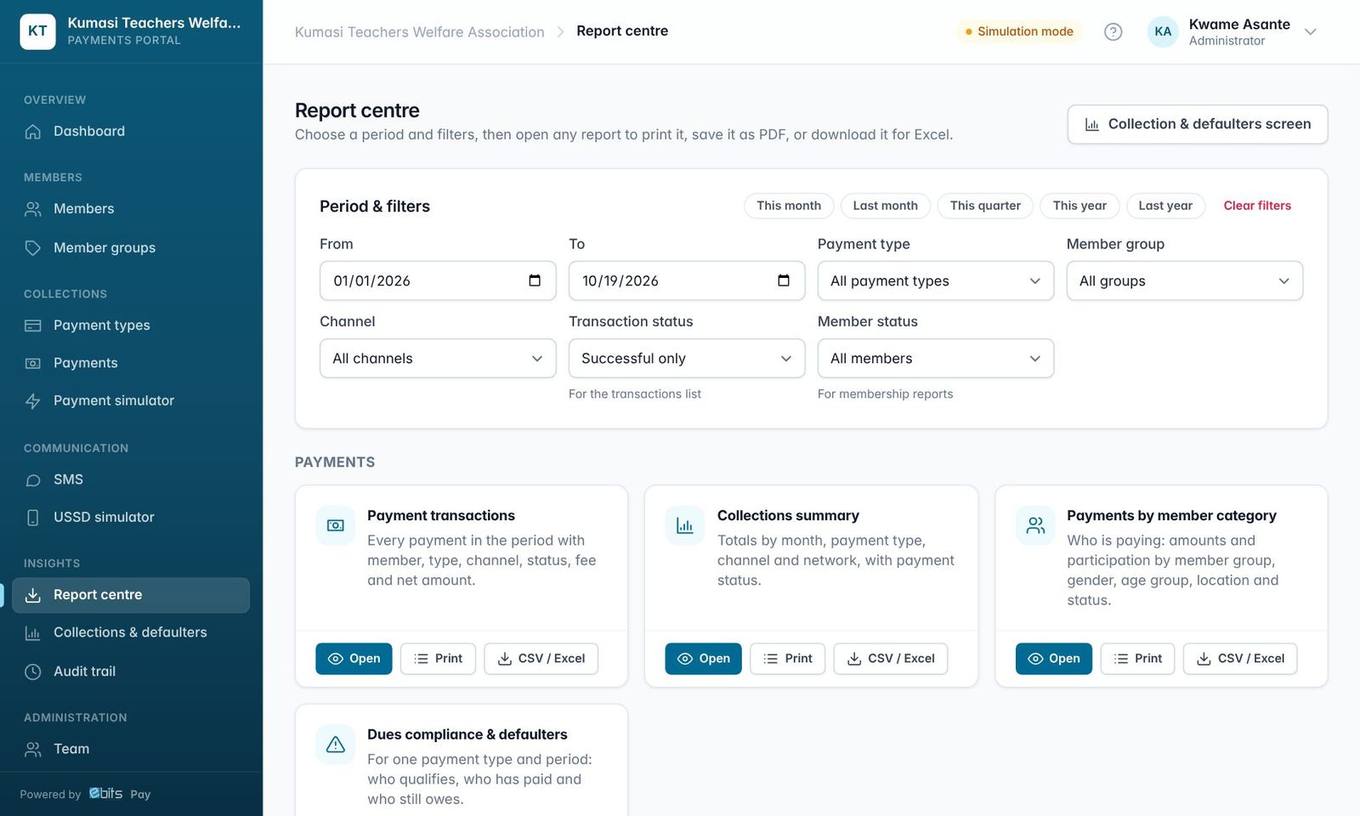
| Report | What it shows |
|---|---|
| Payment transactions | Every payment in the period: date, reference, member, type, channel, status, amount, fee and net. |
| Collections summary | Totals by month (chart), by payment type, channel and mobile network, plus all attempts by status. |
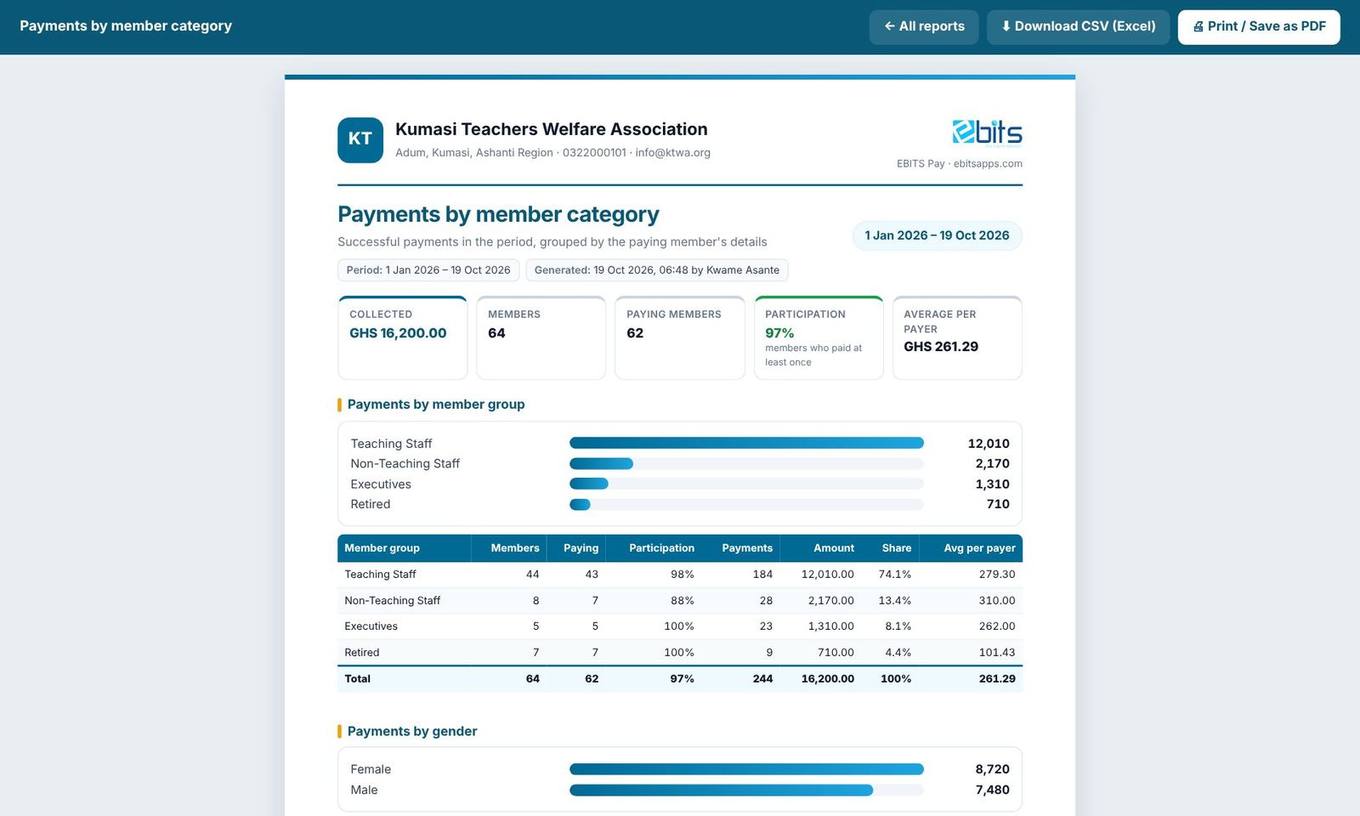
| Payments by member category | Who is paying: amount, share, participation and average per payer by member group, gender, age group, location and status. |
| Dues compliance & defaulters | For one payment type and period: who qualifies, who paid, who still owes, and compliance by group. |
| Membership register | All members with ID, contacts, gender, age, group, location, join date, status and total paid. |
| Membership analysis | Members by group, gender, age group, status and location, and new members per month. |
| Member statement | One member's payment history and outstanding dues. Also from the member's profile. |
- Open Report centre. Pick a period (This month, Last month, This year…) or exact dates, and any filters.
- Click Open to view the report, Print to open it and start printing, or CSV / Excel to download it.
- In the print window choose your printer, or Save as PDF to email the report.
Good to know Downloads are recorded in the audit trail. Who can print or download each report is controlled by roles (reports.view, reports.export, members.export).